Windows
installer · 123 MB- The strip at the top of the screen, near the camera
- Hidden from recordings and screen sharing (Teams, Zoom, Meet, OBS)
- Shortcuts that work while another app is in front
- Phone remote over Wi-Fi
00:00 Opening
A free teleprompter for Windows and the browser. You read while looking at the camera, and InPromptu listens, highlights each word and moves the text at your pace. If you pause, it waits. If you skip a sentence, it finds you again. Voice recognition runs on your computer, with no internet.
Free · open source (MIT) · Windows 10 and 11 · Chrome, Edge, Firefox and Safari
Demo with a simulated voice. In the app, you set the pace.
00:22 How it works
It doesn't just scroll when it hears sound. InPromptu knows which word you are saying and where it is in your script.
A voice detector (Silero) tells speech from noise every 32 milliseconds. When you go quiet, the text stops.
The recognizer (Vosk) only looks for the words in your script. It gets hard names right and responds in about half a second.
Each phrase it hears is matched against the whole text. Swapped, skipped or extra words don't lose your place.
Your position moves at your pace, which the app learns and remembers for next time.
The real alignment, with the app's own scoring: on top, what the recognizer heard; on the left, the script. The yellow path is where you are.
01:04 Where the text shows up
01:33 Teleprompter with OBS
Notes in brackets show up for you and are not read. With OBS connected, reading starts the recording, switches scenes and adds chapters on its own.
Each word is logged at the moment you said it. When you finish, the .srt file is ready for your video editor, with the same name as the recording.
1
00:00:00,620 --> 00:00:02,980
Hi! I am InPromptu.
02:13 Phone remote
Point your camera at the QR code and follow the reading in your phone's browser, with nothing to install. Pause, go back a line, jump to a section, change the speed: it's all there.
In the Windows app, over Wi-Fi. In the web version, over the internet, on any network.
This phone works: its buttons control the demo at the top of the page.
Open the web version on your phone:
crie-studio.github.io/inpromptu/app
02:49 Windows and web
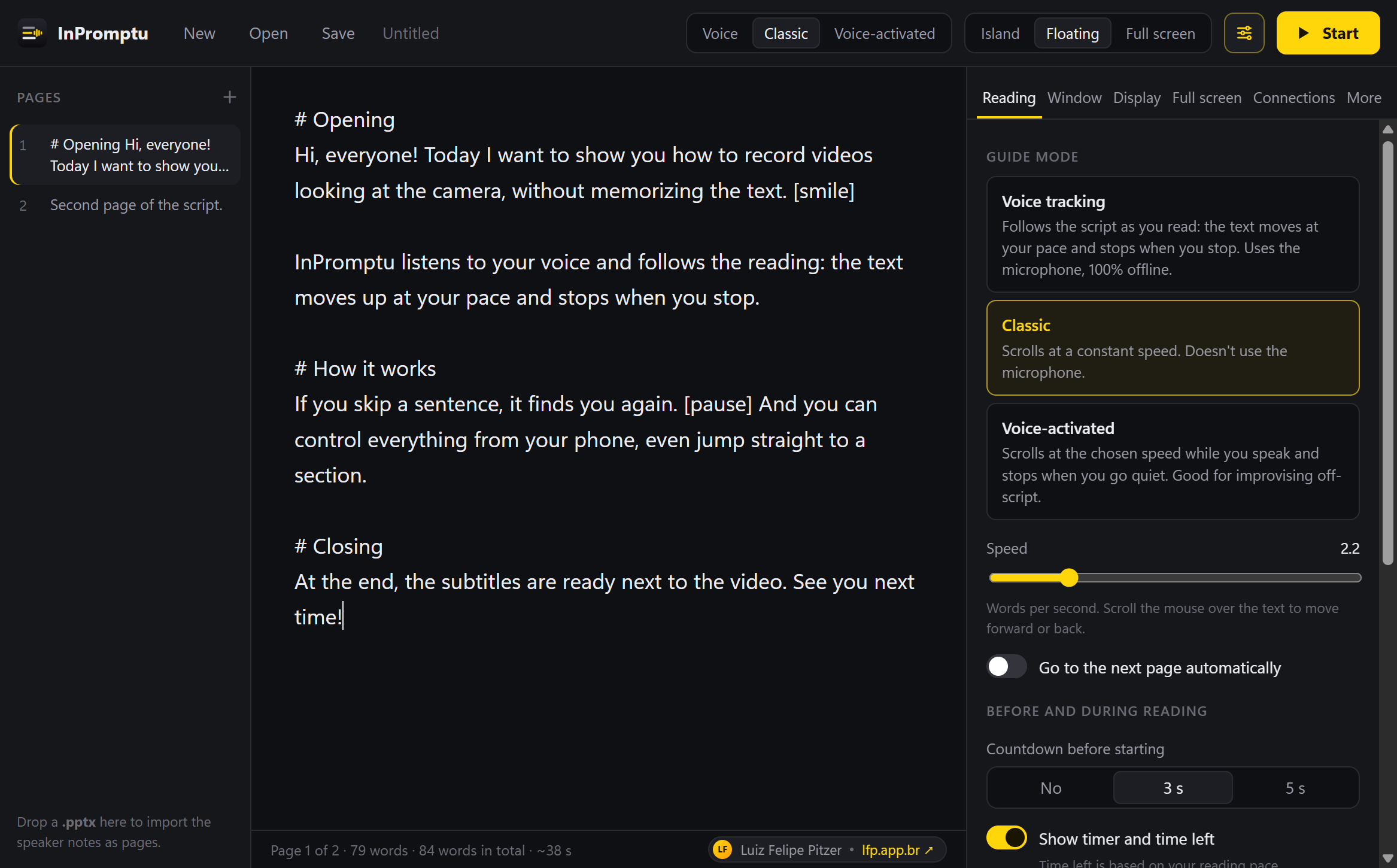
In both: offline voice tracking, classic and voice-activated modes, mirrored full screen, camera background, second screen, 3-2-1 countdown, timer with a target, notes and sections, OBS, .srt subtitles and .inpromptu, .txt, .md and .pptx files.
03:31 Privacy
Recognition runs on your own processor. The voice model is downloaded once, and after that everything works offline. There is no account, no telemetry and no usage tracking, and the code is open for anyone to check.
03:45 FAQ
Yes. It is free and open source (MIT license), with no account, no ads and no paid version.
It recognizes the words you say, on your own computer, and matches them against your script. The text moves at your pace, stops when you stop and finds you again if you skip a sentence.
Yes. After you download the voice model once (31 MB for Portuguese, 40 MB for English), recognition runs offline. No audio ever leaves your computer.
Yes. InPromptu starts and stops the recording with the reading, switches scenes when the script has [scene: Name] and adds chapters. In the Windows app, the teleprompter can also be hidden from recordings.
The web version runs in the browser on any system, best in Chrome and Edge. The installable app is for Windows 10 and 11.
Yes. Scan a QR code and control the reading from your phone browser, with nothing to install: pause, go back a line, jump to a section and change the speed.
Portuguese, English and Spanish in the web version. The Windows app also understands French, German and Italian. The classic and voice-activated modes work with any language.
Yes. The interface is in English and Portuguese and follows your system or browser language. You can change it under More → Language.
Yes. Full screen can be mirrored horizontally, vertically or both, and a mirrored second screen can go to the glass monitor.
Yes. When reading by voice, every word is logged at the moment it was said, and the .srt file is ready when you finish.
03:58 Closing